Moving to SOS
A move that is planned, checked and signed off.
Changing MIS feels risky because the register and the census cannot stop. We bring your records across from SIMS, Arbor, Bromcom or any MIS that writes a common transfer file, check them with you, and run the acceptance tests ourselves.
How a move works
Four steps, with the school signing off each one.
Plan
We agree the dates, who needs access and in which role, and set up your school’s own SOS with its terms, groups and year groups.
Bring your records
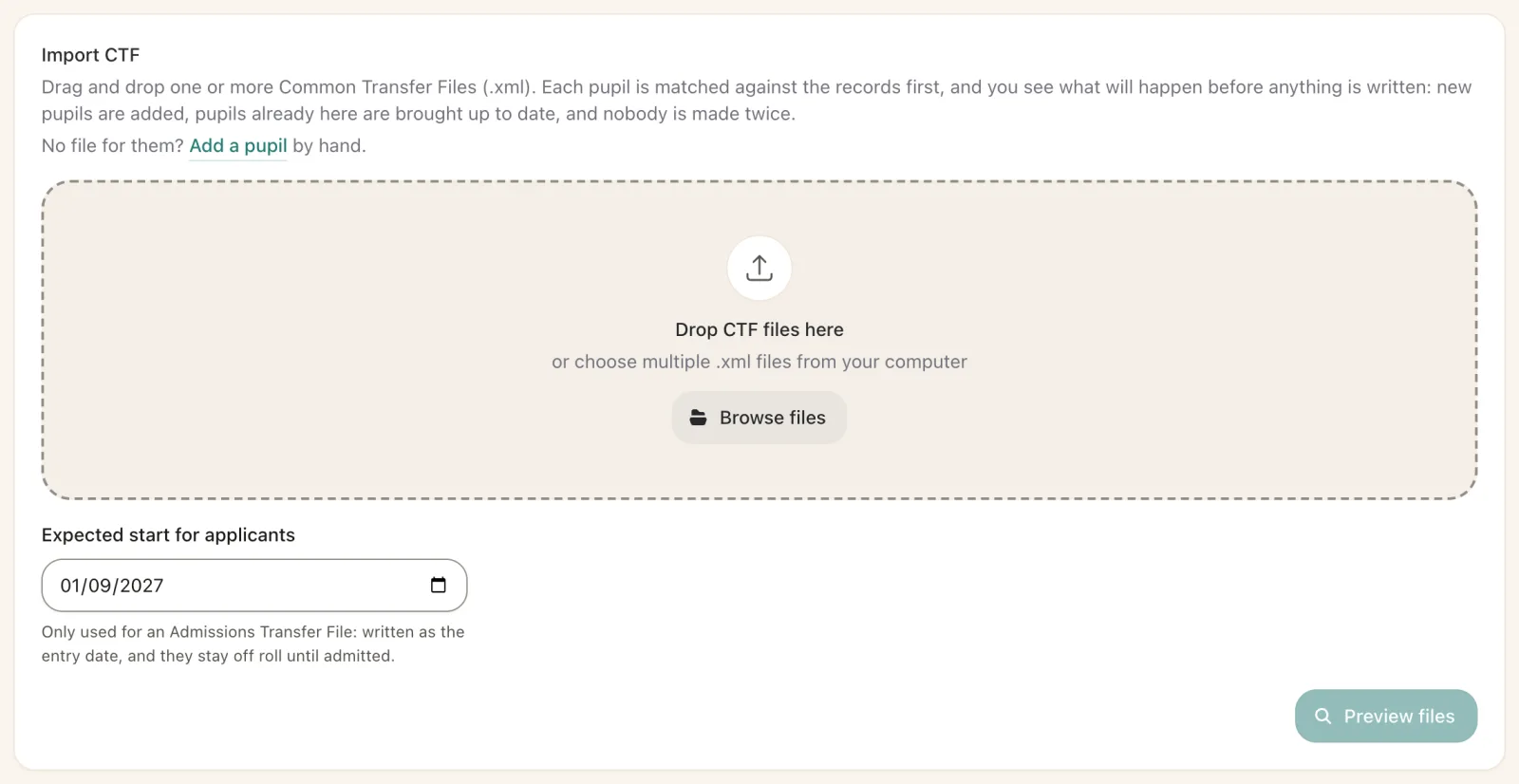
Your current MIS writes a full CTF for every pupil on roll and recent leavers. SOS previews it, shows each match, and imports only when it looks right.
Reconcile
We compare rolls, groups, SEN, free school meals and contacts against your old system with you, and fix anything that differs.
Accept and go live
We run every acceptance test while your team watches and signs each one, then staff take their first registers in SOS.
What comes across
Your pupils, their families and their history.
- Pupils with identifiers, demographics, SEN, free school meals and other indicators.
- Contacts with relationships, parental responsibility and numbers.
- History the CTF carries, such as attendance summaries and assessment results.
- Staff set up in SOS, or brought from your trust’s staff record.
Timetables are not part of SOS, so they stay in the system you use for them.
After go-live
Your team is never on its own.
Help inside SOS
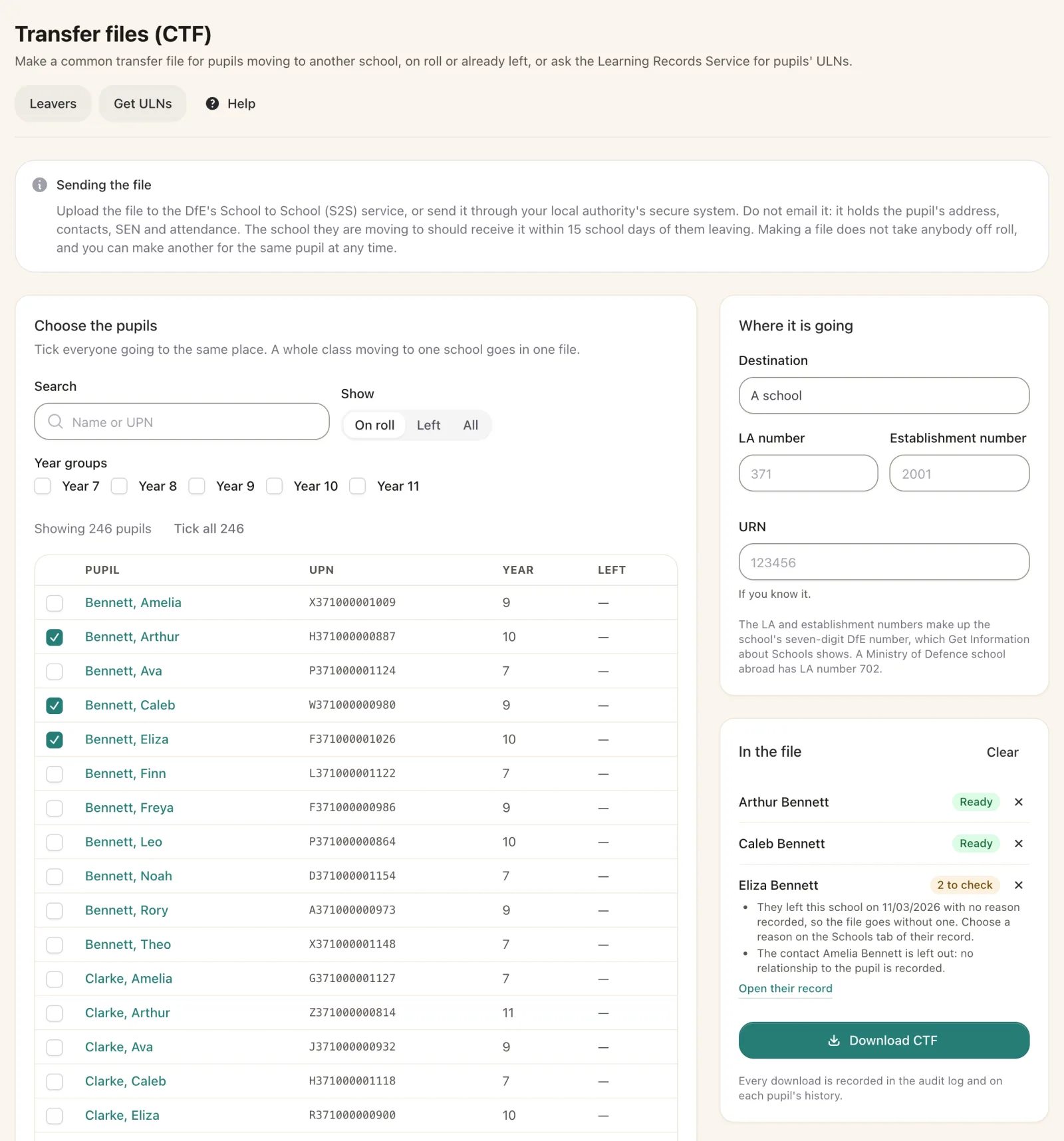
Every page explains itself, and step-by-step recipes cover jobs like the census, chasing absences and sending a CTF.
A real team to email
Questions go to the people who build SOS, not a call centre.
Improvements every week
SOS is updated through the year, with nothing for the school to install.
Questions
What schools ask us about moving.
When is the best time to move?
Any time between censuses works. We plan around your census days so the next return is built in SOS from records you have checked.
Can we run both systems for a while?
Yes. You can keep your old MIS read-only for a short time while staff settle, so nothing is lost.
What if a pupil matches the wrong record?
Nothing is written until you have seen the preview. Each match shows why it was made, and you choose what to import.
Do our staff need training?
We show your office and teachers how SOS works for their role, and the help inside SOS covers the rest.
In SOS
Files in, files out, whenever you need them.
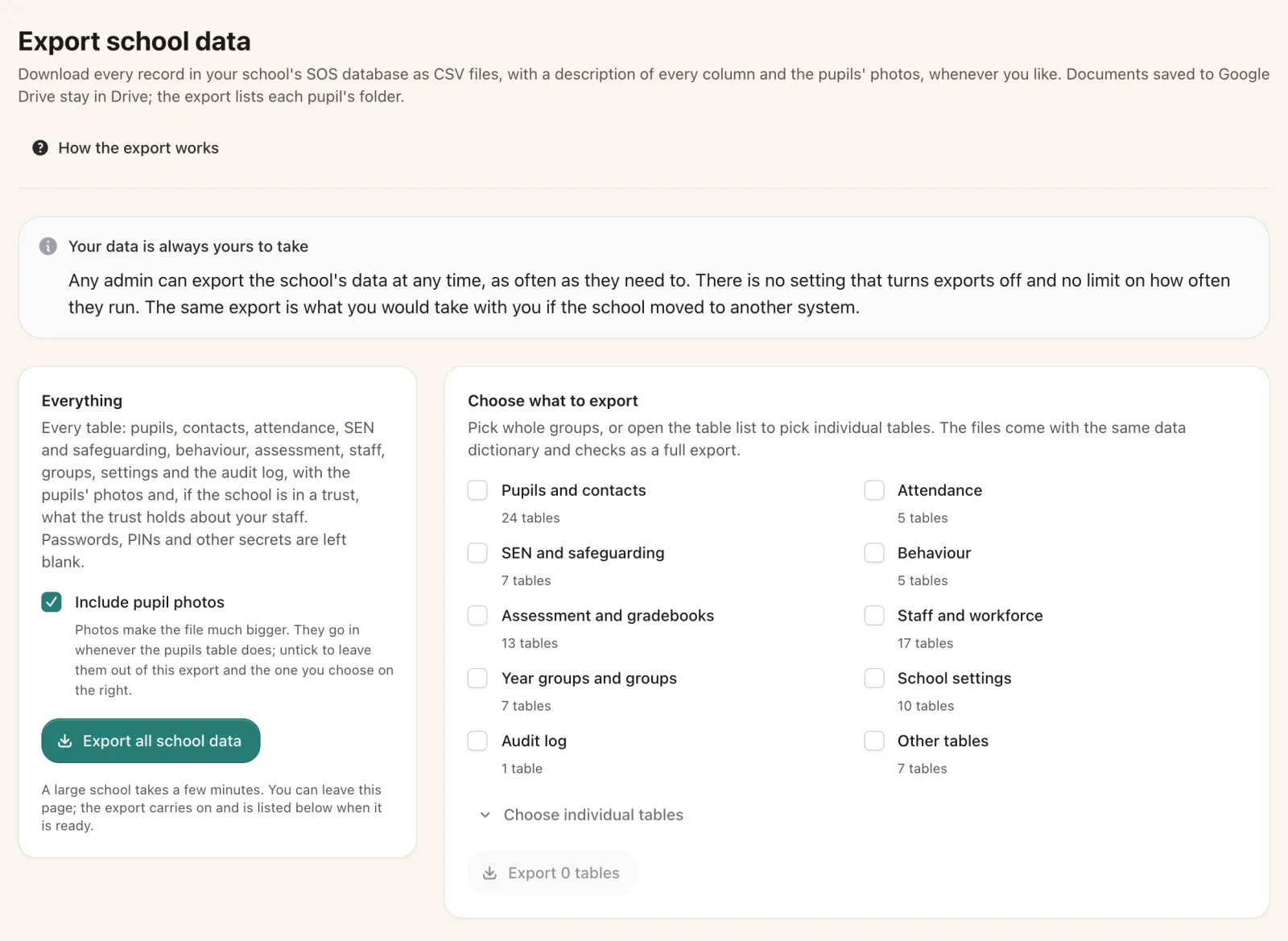
Common transfer files for leavers, and every record exportable by the school.
Thinking of moving?
Let’s plan your move together.
Tell us which MIS you use now and when your contract ends, and we will set out a plan and a timeline.