The school MIS from Realsmart
Everything your school runs on, from the first register to the census.
SOS brings registers, pupil records, census returns and trust-wide figures together in one browser tab. It is built to the Department for Education’s new MIS requirements, and nine schools run their day on it.
Cyber Essentials Plus certifiedNothing to installYour data is yours to take
run their day on SOS, from the morning register to the census.
check every census return before it goes to COLLECT.
of audit log, kept tamper-proof in the database.
exportable by the school, whenever it likes, at no extra cost.
One place for the school day
The whole MIS, without the clutter.
Office staff, teachers and leaders each see what their role needs. Every page carries its own help, written for the people who use it.
Registers and attendance
Morning and afternoon registers with DfE’s codes, a daily list for calls home, persistent absence reports and an emergency roll-call.
AttendancePupil records and contacts
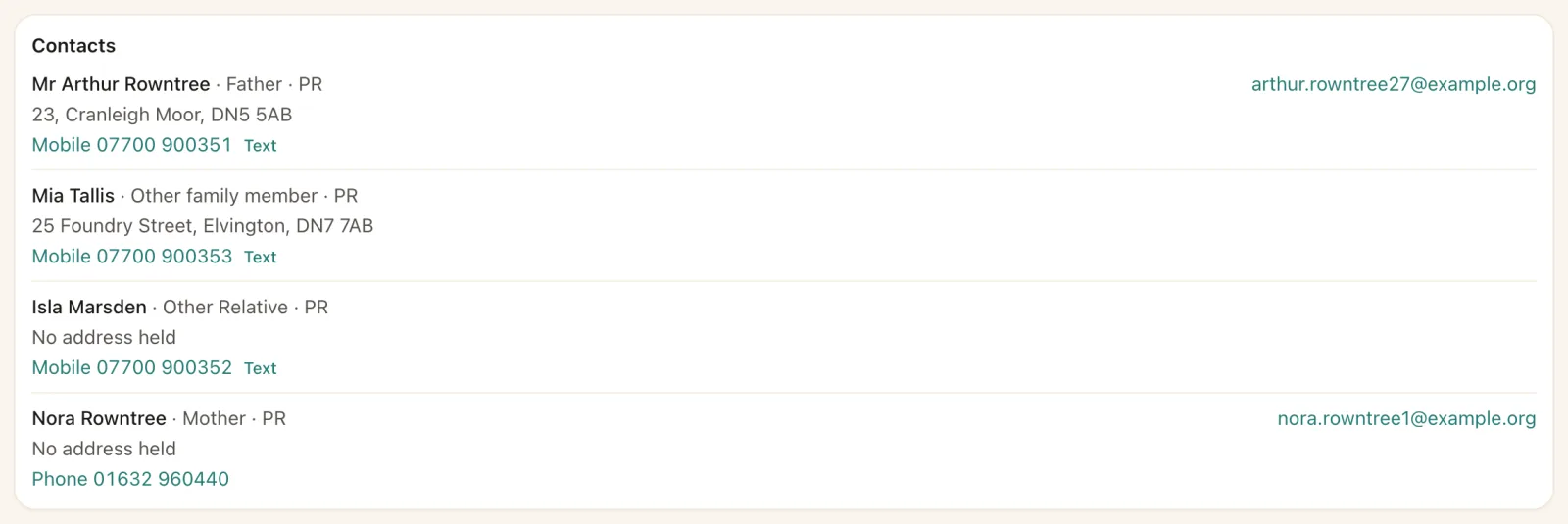
The full pupil record on DfE’s code lists, with contacts, parental responsibility, court orders, siblings and consents.
Pupil recordsCensus and DfE returns
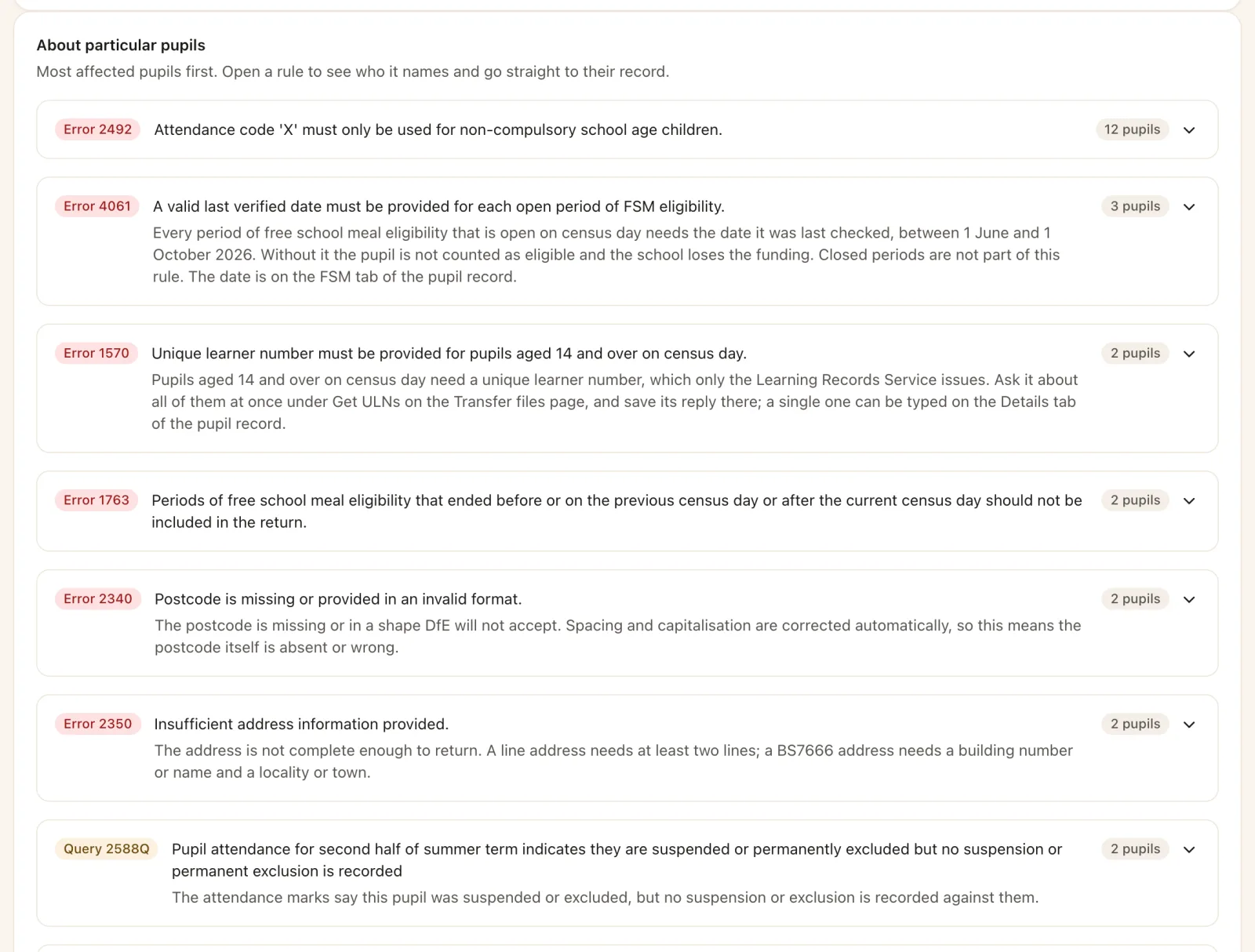
School and workforce census returns checked against DfE’s own validation rules, each finding linked to the record that needs it.
School censusSEND, safeguarding and behaviour
SEN provision and needs, EHC plans, care episodes, child protection plans, suspensions and exclusions, praise and interventions.
Statutory recordsAssessment and HoWLs
Gradebooks of learning targets and standards, subject scores and Habits of Work and Learning by group, and early years scoring.
AssessmentMade for trusts
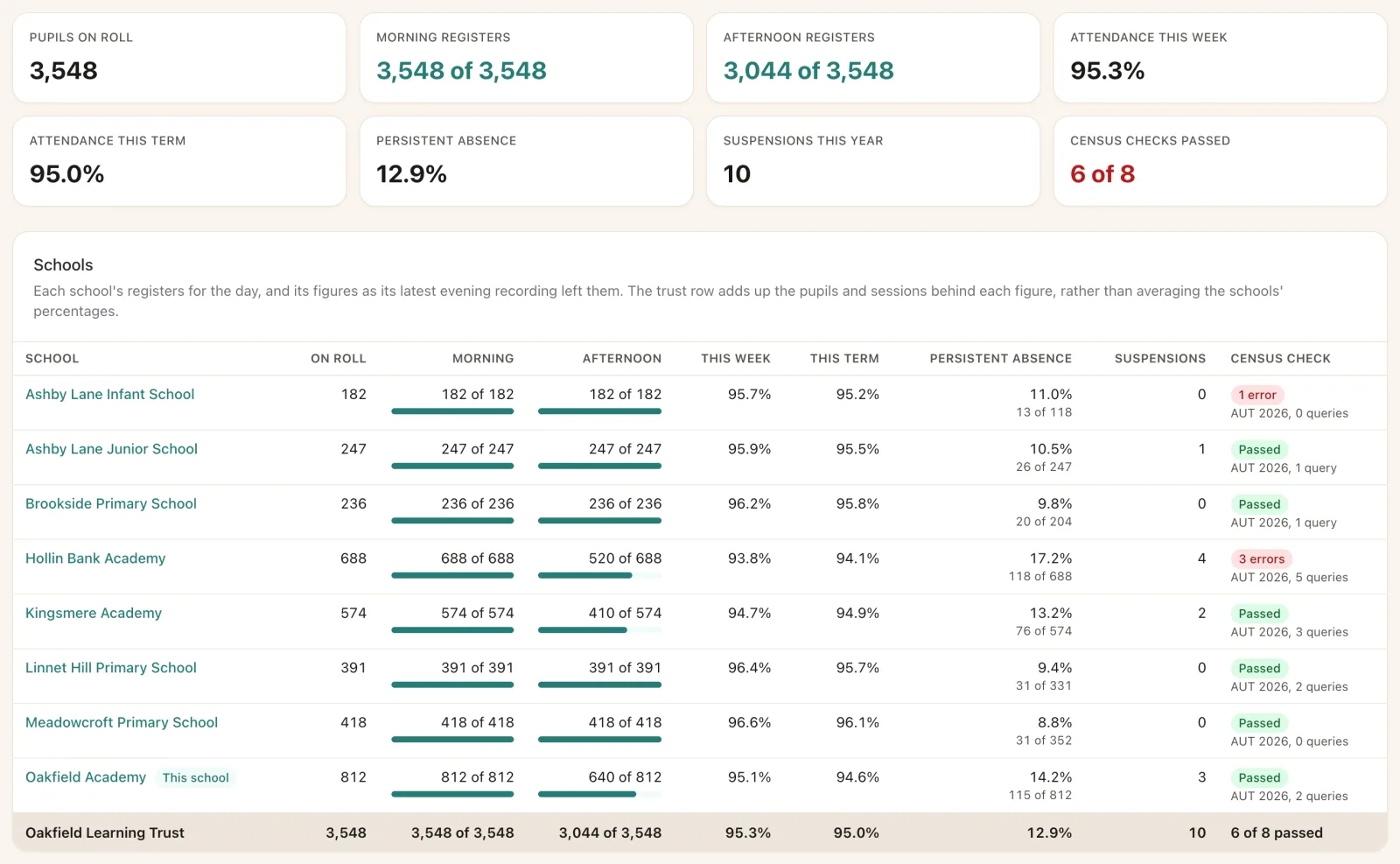
Every school side by side on one dashboard, one staff record across the trust, and one click between schools.
For trustsAttendance
Know who is in, and who to ring, before the kettle boils.
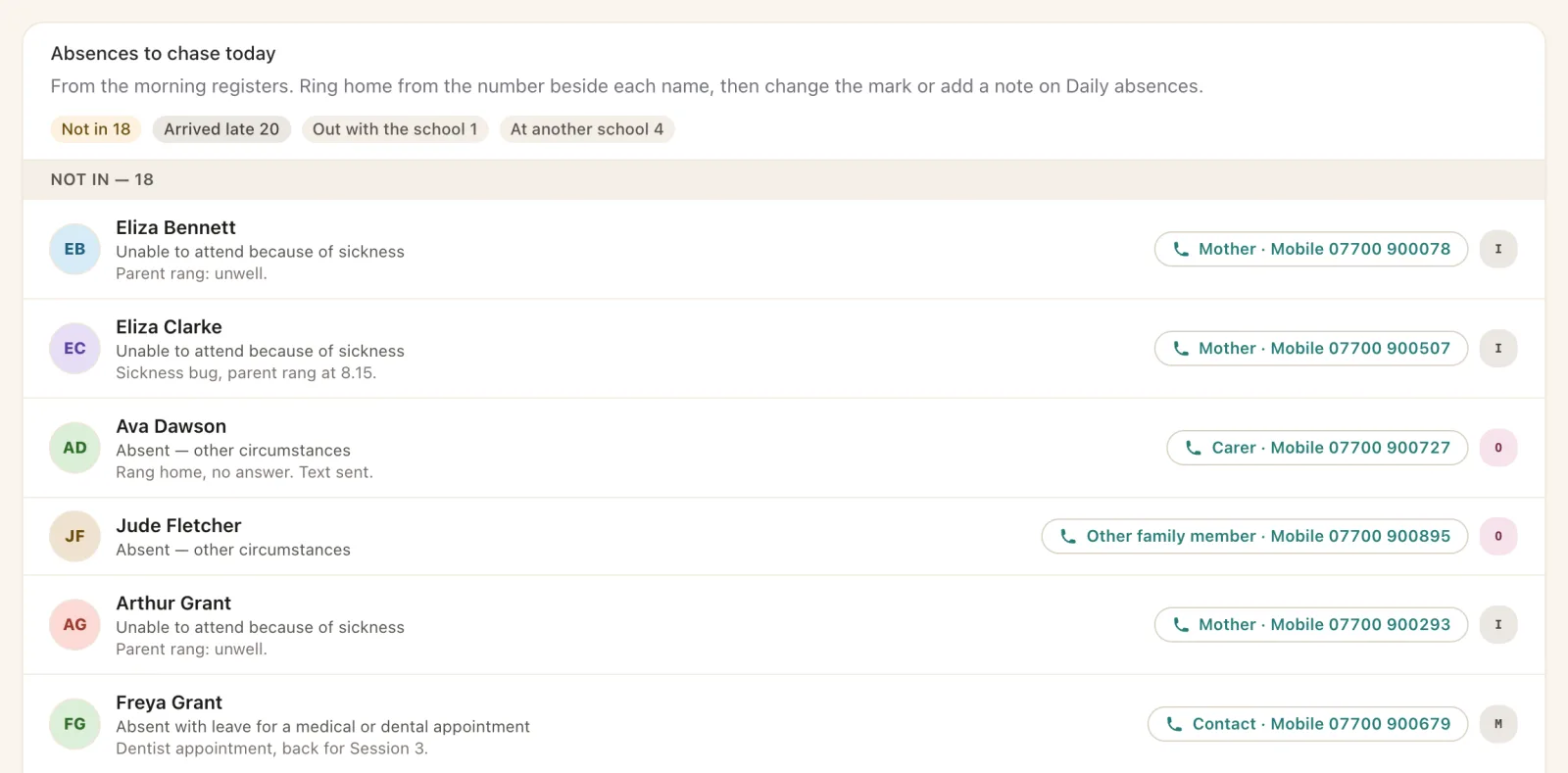
Registers come in on the dashboard as teachers save them. The office sees every pupil not yet accounted for, with their contacts one tap away.
- DfE’s codes, AM and PM, with late times, office notes and block registration for planned absence.
- Daily absences lists everyone late, off site or not in, and records each call home.
- Persistent and severe absence, term attendance and registrations by date, filtered by your own pupil flags.
- Emergency roll-call shows who is on site now, by group, ready to print.
School census
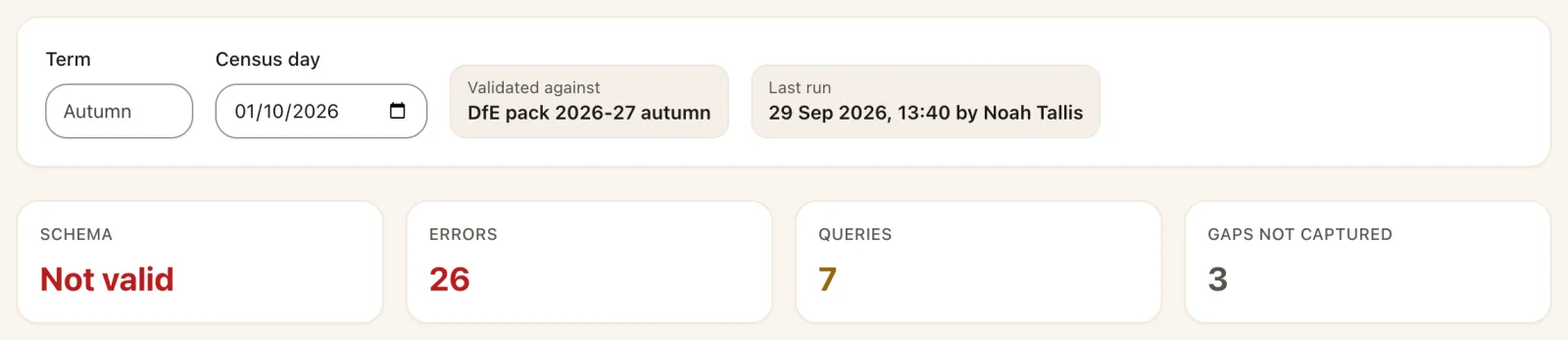
Your census, checked by DfE’s own rules before COLLECT sees it.
SOS builds the return and runs DfE’s validation pack over it. Every error and query links straight to the pupil or the setting that needs fixing, and common fixes can be made for every pupil at once.
- School census, with the roll counted on census day and a list of anything not yet captured.
- School workforce census, checked against DfE’s 2026 rules, each finding on the staff record it names.
- CTF in and out, with a preview before anything is written and a check of what the next school will find missing.
For trusts
Every school side by side, without merging anyone’s data.
Trust leaders see each school’s roll, registers, attendance, persistent absence, suspensions and census readiness on one page. Each school keeps its own secure database.
- Trust dashboard with figures refreshed through the day and a spreadsheet to download.
- One staff record across the trust, with a unique staff number for each person.
- Switch school in one click, signed in as the same person.
Built for the DfE framework
Built to DfE’s MIS requirements.
From May 2027 schools must use an MIS from the Department for Education’s approved list. SOS has been built to DfE’s published requirements, from the census to data ownership.
- Census returns built and checked against DfE’s own validation rules.
- Cyber Essentials Plus certified, with role-based permissions and a six-year audit log.
- Open, documented API with a token for each client, granted and revoked by the school.
- Bulk export of every table with a data dictionary, free, and never switched off.
- An exit process that keeps your API open until your next supplier is accepted.
Security and your data
Your school’s data stays your school’s.
Each school has its own database, backed up every night and restored in a test every month.
Certified
Cyber Essentials Plus, with vulnerabilities tracked and dependencies scanned on every change.
Backed up
Nightly backups locked against deletion for 35 days, and a restore tested every month.
Logged
Every change, download and sign-in recorded, and kept for six years.
Exportable
Every table as CSV with a data dictionary, whenever the school chooses.
Moving to SOS
A calm move from SIMS, Arbor or Bromcom.
We bring your pupils across from your current MIS with a common transfer file, check the numbers with you, and run the acceptance tests ourselves while you sign each one off.
Plan
We agree dates, roles and who needs access, and set up your school’s own SOS.
Bring your data
A full CTF from your current MIS brings pupils, contacts and history across.
Check it together
Rolls, groups and counts are reconciled against your old system before go-live.
Go live
We run the acceptance tests with you watching, and your staff start the next morning.
The real thing
Every picture on this site is SOS itself.
No mock-ups. These are SOS screens from a copy of a real school, with every name and detail made up.
See it for yourself
See your school’s day in SOS.
Tell us about your school and we will show you SOS working with your groups, your registers and your census.