School census and returns
A census return you can check before DfE does.
SOS builds the return from your records and runs DfE’s own validation pack over it, so errors are found and fixed in school, not after the upload.
The school census
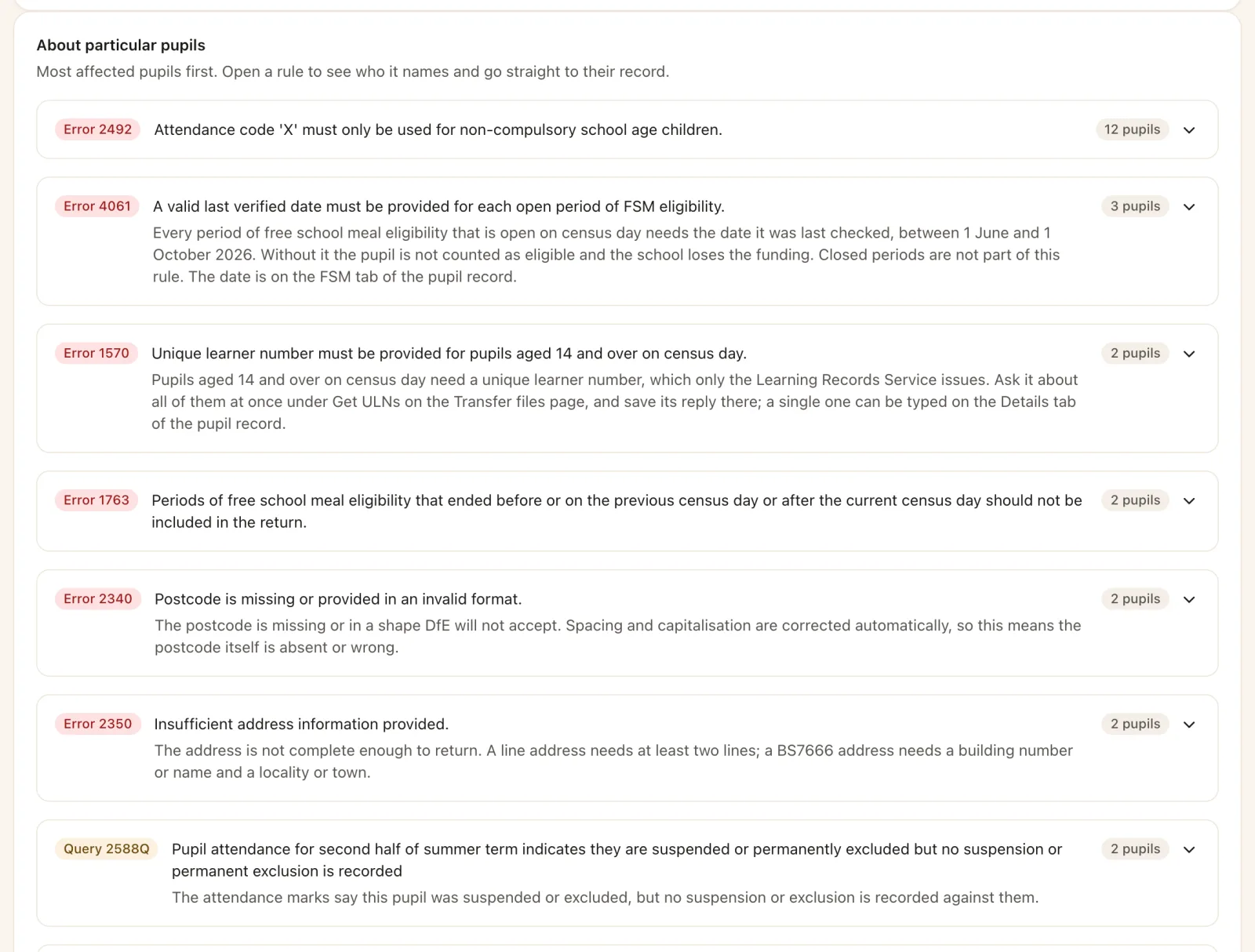
Every finding leads to the record that needs it.
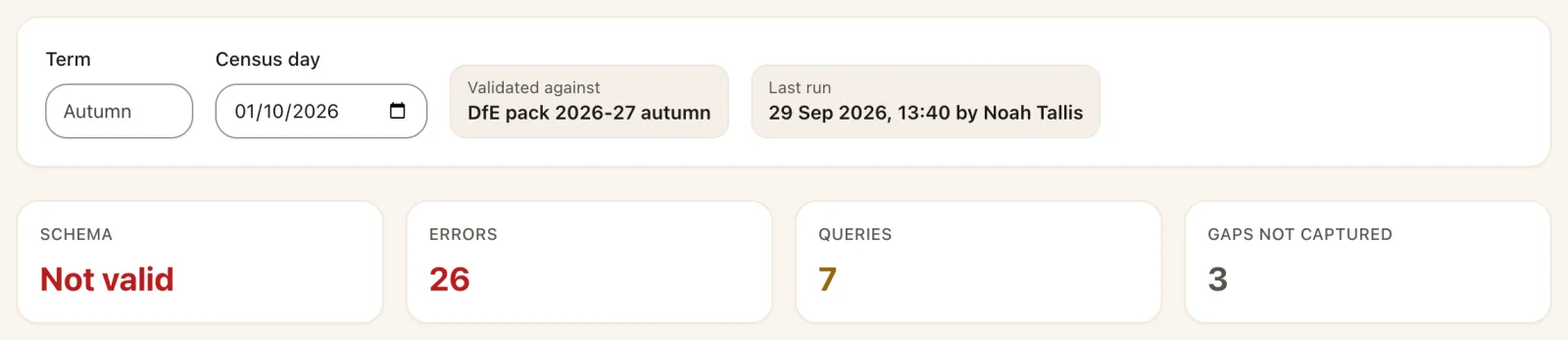
Run the check and SOS shows the schema result, DfE’s errors and queries, and anything the return needs that the school has not recorded yet.
- DfE’s validation rules, straight from the department’s pack for the term.
- Open the pupil or the setting behind each error, fix it and run the check again.
- Fix in one go where the same correction applies to many pupils, after listing exactly who it will change.
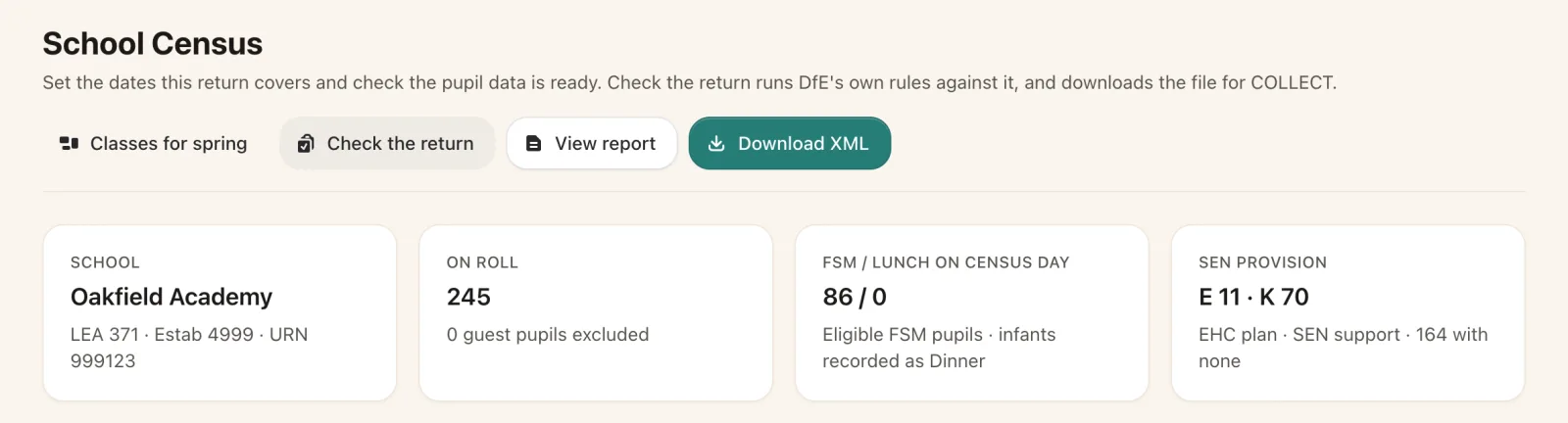
- The roll on census day, the school summary and DfE’s file name, ready for COLLECT.
How it works
From first check to COLLECT in four steps.
Run the check
SOS builds the return for the term and checks it against DfE’s schema and rules.
Follow each finding
Each error and query opens the pupil, register or setting it is about.
Fix and check again
Correct records one by one, or in one go where DfE’s rule allows, and run the check again.
Download for COLLECT
Download the XML in DfE’s format and upload it to COLLECT.
Checked against COLLECT
For the autumn 2026 return, the errors SOS found matched the ones DfE’s COLLECT reported, pupil for pupil, on every rule both of them run. The autumn return is available now; spring and summer follow as DfE issues each term’s validation pack.
School workforce census
The workforce census, checked person by person.
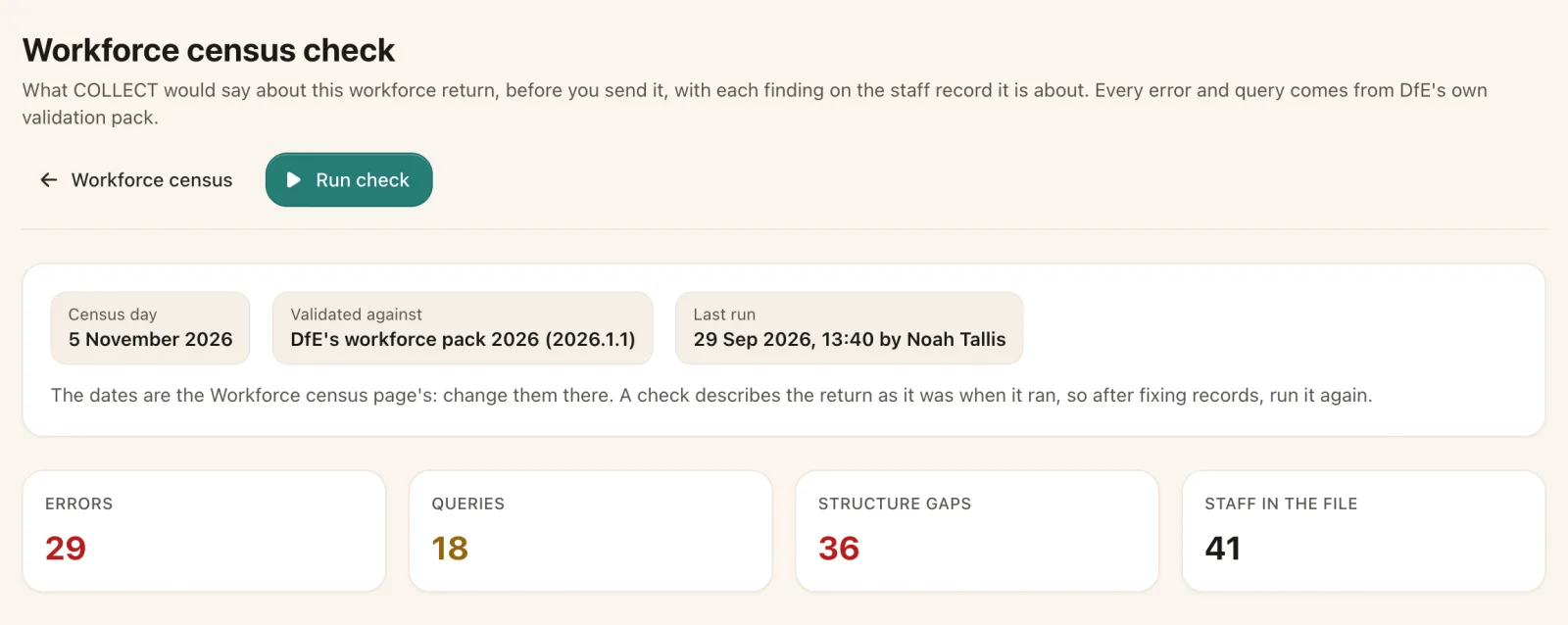
SOS builds the November return from staff records and runs DfE’s 2026 rules over it. Each finding sits on the staff record it names, with a button that opens the right step.
- Contracts, roles and pay, absences, curriculum hours and qualifications on DfE’s code lists.
- Staff data issues listed before you start, so gaps are filled early.
- DfE’s school summary, and the XML file, ready for COLLECT.
Transfers and identifiers
Pupils arrive and leave with their records intact.
CTF and ATF import
Drop in a common or admissions transfer file, see who matches and why, and import only when it looks right.
CTF export
Send a leaver’s CTF with a check of what the receiving school will find missing.
UPNs and ULNs
UPNs generated with the right check letter, and missing ULNs requested from the Learning Records Service.
Post-16 aims
Courses and learning aims added for several students at once, and closed with an outcome when they leave.
Early years funding
Funded hours and their basis recorded, and cleared when a child moves up into Reception.
Leavers
Taken off roll with DfE’s leaving reason and destination, ready for the census.
More of the census
Your figures, then DfE’s rules.
The census page shows the school’s numbers first, then every finding in plain English.
See it for yourself
See your census in SOS.
We will show you a census check running against a school like yours, and what it takes to get to a clean return.