For trusts
See the whole trust. Keep every school’s data its own.
SOS gives trust leaders every school side by side, holds each member of staff once across the trust, and still keeps each school in its own secure database.
Trust dashboard
Every school on one page, from registers to the census.
For each school: the roll, registers taken today, attendance this week and this term, persistent absence, suspensions and census readiness, with the trust’s totals beneath.
- Figures only, never a pupil’s name. Registers refresh every fifteen minutes through the school day, everything else each evening.
- Demographics for each school, with those pupils’ attendance this year.
- Any earlier day, and a spreadsheet of the figures to download.
- Each school’s name links straight to its own SOS.
One staff record
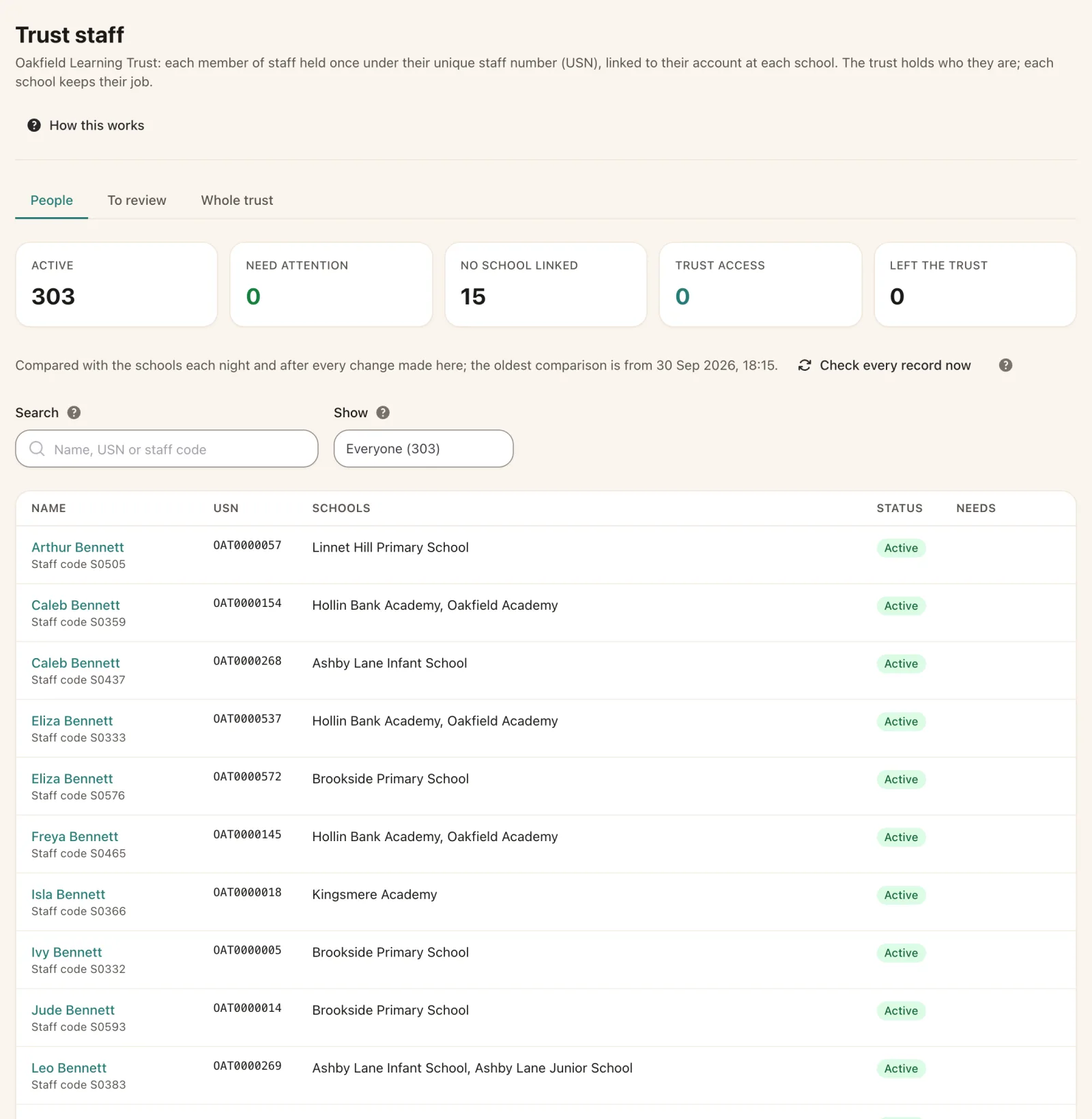
Each person held once, under their own staff number.
The trust’s staff record holds who each person is once, with a unique staff number that SOS issues, linked to their account at every school they work at.
- Change a name once and it reaches every school the person works at.
- Adding someone at a school finds them on the trust’s record first, so nobody is created twice.
- Each school keeps its own contracts, roles and sign-in for that person.
- Checks show where a school’s details differ from the trust’s, to settle in a click.
Built for groups of schools
Trust-wide where it helps, school by school where it matters.
Switch school
Open another of the trust’s schools in a new tab, signed in as the same person, with each switch recorded.
A database per school
Schools are never merged, so a school’s data, its exports and its exit stay its own.
Modules per school
Each school can have its own optional modules, invoiced pro rata from the day they change.
Schools joining and leaving
A school can move into or out of the trust without disturbing its records or its contract.
The trust’s own export
Everything SOS holds for the trust, including the staff record, in one download with a data dictionary.
Trust roles
Dashboard and staff-record access only for the people the trust lists, with permissions they hold.
For trust leaders
See your trust on one page.
Tell us how many schools you have and how they work together, and we will show you SOS set up the same way.